
We will receive a commission if you make a purchase through our affiliate link at no extra cost to you. Please read our disclosure policy for more information.
When I started blogging seven years ago, I had zero clue what SEO meant and thought “niche” was some kind of fancy cheese. I didn’t even know where my traffic would come from, let alone how to make money blogging.
That’s before I realized that Pinterest isn’t just for hoarding lasagna recipes and DIY inspirations. Pinterest turned out to be a visual search engine that quickly became my top source of visitors. I now earn a full-time income sharing personal finance tips, such as side hustle ideas, saving money tricks, and blogging tips for beginners.
It’s totally normal to feel lost when you’re getting started – I sure did. But lucky for you, you don’t have to make the same newbie mistakes I did. I’m breaking down the exact steps, tricks, and Pinterest traffic tips that helped me turn my blog into a money-maker. These simple tips and strategies are the only things you need to build your blog income from Pinterest and earn your first $100 blogging.
And once you become famliar with Pinterest, you could potentially earn a six-figure income on this social media platform. For more details, you can learn how I make over six-figures a year on Pinterest with a blog in this tutorial here.
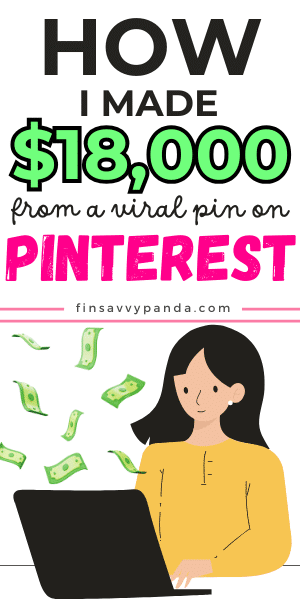
PIN THIS: I’ll be updating this post so make sure to pin this image here and save it to your Pinterest board. That way you’ll be able to come back to this page and learn how to make money on Pinterest with a blog.
1. Setting Up a Blog That Makes Money
Imagine driving on a scenic landscape and bam – there’s a dead end! That’s exactly how your potential readers will feel if you don’t have a blog up and running before you go full-throttle on Pinterest. So let’s first learn how to start a blog with this easy step-by-step tutorial here before we use Pinterest to increase traffic and make money.
Finsavvy Panda was built on WordPress and hosted by Bluehost. While WordPress lets you tweak everything until it feels just right, Bluehost guides you through the setup. Simply pick a template that fits your blog’s vibe and customize the blocks to your taste.
Content is king. It’s the fuel that keeps your blog running. For example, Finsavvy Panda is built around the idea of helping people save, budget, and earn more. These are commonly searched topics on Pinterest, and that’s important because Pinterest users aren’t casually browsing. They’re on a mission and looking for specific answers, so it’s better to pick a niche that solves a problem.
Once your blog is ready, monetize it using the trifecta of affiliate programs, ads, and sponsorships (more on this later). Getting blog traffic without monetizing it is like making a vase with a hole – looks nice, but it’s kind of pointless.
2. Using Pinterest to Drive Massive Blog Traffic
Pinterest is considered an artsy social network platform. While that’s true, Pinterest is actually so much more than that. It’s a virtual search engine that people use for inspiration and to search for something specific. Realizing this was a game changer for me. You wouldn’t believe how excited I was when my monthly visitors shot up to 100,000!
Trust me, it’s not rocket science. Just start simple by pinning about 7 to 10 times a day. I get that sounds like a lot of work, but I am not glued to the screen all day, and you won’t have to either. I use tools like Canva to keep things running smoothly.
Besides that, one of the best blogging tips for beginners I ever got was to treat each blog post like its own mini-brand. That means creating 2-3 pin variations per post and seeing which one gets the most clicks.
Over time, I’ve also learned that the pins that perform best for me are list-style posts with clear titles like “7 ways to save on groceries”. These kinds of posts work great because they’re easier to skim. Adding strong keywords in your pin descriptions, such as “budget meals”, “meal planning,” and “save money fast,” helps get more engagement too.
If you want to go even deeper, I break down everything in my Pinterest Traffic eBook. It’s basically a shortcut to everything I wish I knew earlier.
3. Creating Pins That Actually Get Clicks
Creating pins isn’t just about slapping a catchy title on a cute background and hoping for the best. A good pin should be able to stand out and send traffic to your blog. It needs to stand out, build curiosity, and scream “Click me!” without sounding like a desperate game show host.
Here’s what works in my experience: tall pins (1000 x 1500 pixels), bold text that is easy to read on mobile, and curiosity-driven titles. Look at it this way – something like “7 frugal habits that saved me $500” works way better than a vague “My budgeting tips.” One sounds like a result with a direct outcome, while the other sounds like homework.
For designing, I use Canva. It’s super easy, and once you’ve got a few go-to templates, you just swap in new text and you’re done. I personally use the paid version for the premium features, but you can start with the free version and test things out. Initially, it’s better to make 2-3 pins for each blog post to see which one gets the most traction. This process is called A/B testing, and it’s a tactic even big names like Apple and Walmart use.
Next thing to focus on is the description, as your pin’s description is as important as its design, if not more. Start by adding keywords naturally – no keyword soup, please.
Luckily, you don’t have to start from scratch here as well. I created a bunch of customizable pin templates that you can use. Remember, when you consistently create pins that get clicks, the traffic adds up and so does the income. Which is why this is one of the easiest ways to make money pinning on Pinterest.
4. How I Monetize My Blog Traffic from Pinterest
Okay, so you’ve got traffic. Now what? Here’s how you can turn Pinterest clicks into income.
I. Affiliate Marketing
Affiliate marketing on Pinterest is my favorite way to earn from Pinterest because it’s simple and genuinely useful. I earn a small commission when readers sign up for tools I recommend, like survey sites or cashback apps, or buy digital products (planners, courses, ebooks) through links in my blog posts.
I usually write posts like “10 easy ways to save money” and include my go-to tools. Big names like Amazon and Shopify all offer affiliate programs.
A simple strategy that I follow is to ask myself, “Would I share this with a close friend?” If the answer is yes, it goes in the post. If not, it’s an easy pass. Readers can tell when you’re being real, and that trust makes all the difference.
II. Ad Networks
Using ad networks is one of the best and easiest ways to get paid through a blog. However, it needs a certain number of monthly sessions. For Finsavvy Panda, I applied to Mediavine once I crossed 50,000 monthly sessions. Mediavine is an ad network that places display ads directly on your blog.
These networks pay you per page view, and the more views you get, the more you earn. It’s the definition of passive income. I make money while people scroll and snack.
III. Digital Products
This one took a little more work at the start, but the payoff has been amazing. Digital products are downloadable templates like resumes, daily planners, and Canva templates that you can sell on Etsy or Gumroad.
For example, I’ve designed ebooks, printables, and courses based on what readers ask me about the most. I design every asset in Canva and link it across my blog posts and pins. For example, I have a meal planner that I designed for “budgeting tips”, but also fits perfectly with my “save on groceries” blog posts.
While there are small fees from platforms like SendOwl, Gumroad, or PayPal, selling is still one of the most profitable ways to monetize. You keep most of the profit instead of a commission. You don’t even need a massive audience either. Even 1,000 daily visitors can bring in solid income if you monetize smartly.
5. Time-Saving Tools and Tips
Running a blog while also managing Pinterest can easily start to feel like spinning plates blindfolded. But, it doesn’t have to be overwhelming, especially if you batch all your content the way you’d meal prep on a Sunday night. For example, I sit down and create 10 to 15 pins using Canva templates in one go.
I simply reuse my Canva Pinterest templates, replace the titles, and done. It used to take me a couple of hours at first, but now that I’ve got a system down, I can design a pin in under three minutes.
I currently use Pinterest’s native schedule to plan my pins up to three weeks in advance. It’s technically manual pinning, but you’re not stuck pinning every single day. If you want to automate the entire process, Tailwind is a good option that lets you do that.
Another great tip is to keep a Google Doc of your best-performing pin titles and formats. Think of it as your secret Pinterest cookbook that is tried, tested, and tasty for traffic!
6. Lessons Learned
I am not embarrassed to admit that I’ve made some Pinterest mistakes, like big ones. Funny enough, those slip-ups ended up being some of my best blogging lessons.
Mistake #1: Keyword stuffing: Back then, I stuffed every keyword I could find into my pin descriptions like overstuffing a Thanksgiving turkey. But that didn’t help, obviously. Pinterest wants natural, helpful content and not SEO salad.
Mistake #2: Only creating pins for new blog posts: It’s natural to focus on the new thing and put more effort into it. However, that might not be the best strategy, especially for Pinterest. It’s as important to create pins for old posts as it is for new posts. I speak from personal experience when I say that creating fresh pins for old posts can potentially double your traffic without doing anything else.
Mistake #3: Ugly pins: Pinterest is a visual search engine, so obviously, pins’ design matters a lot. But don’t worry, you won’t have to channel your inner Picasso. Just avoid clashing colors, hard-to-read fonts, and weird stock photos like I used before. Use clear fonts, complementary colors, and subtle backgrounds, and you’re good to go.
Undoubtedly, the biggest lessons you learn are from your mistakes. But, on the risk of going too philosophical on you, mistakes are not the only thing that helps to grow. It’s being consistent, even when you can’t see immediate results. Trust the process.
Enjoyed this post? Don’t forget to pin the image below! Also, don’t forget to follow me on Pinterest over here! 🙂

Leave a Reply